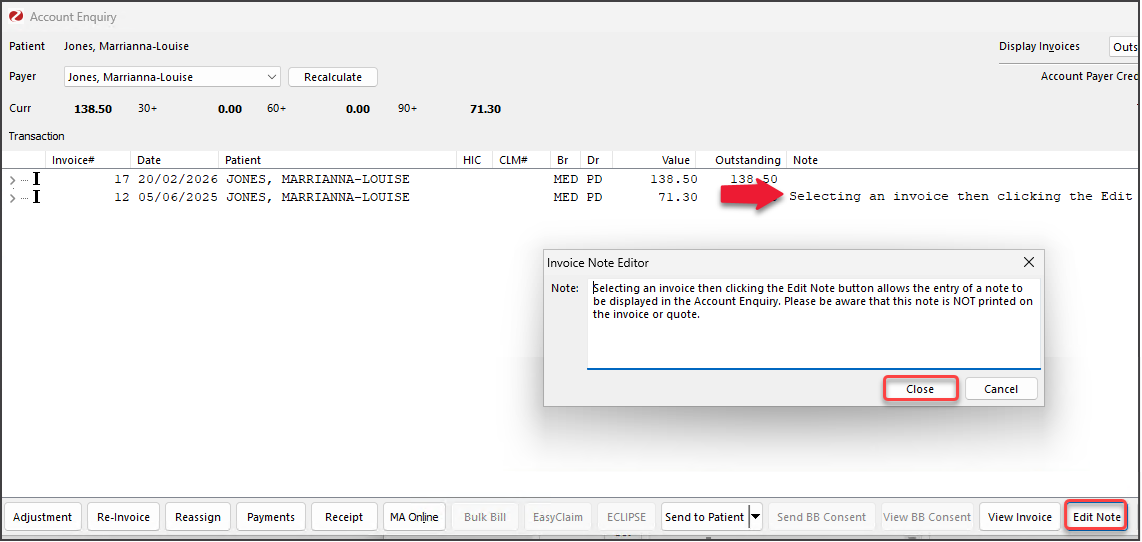
Add a note to an invoice. This is useful when following up with patients on unpaid invoices or turning a quote into an invoice.
This feature is not used during invoice creation.
To add a note:
- Open the patient's record and select Acct Enquiry.
- Select the invoice.
- Select the Edit Note button
The Invoice Note Editor will open. - Type the text
- Select Close to save.
These steps can also beused to edit a note.